Design for Social Media: Layouts and Exporting Assets Training Course in Manila
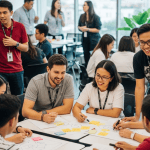
In today’s fast-paced digital world, captivating and on-brand visuals are crucial for engagement across social media platforms. From Instagram stories to Facebook ads and LinkedIn banners, your ability to create consistent, scroll-stopping content can define your success online.
The Design for Social Media: Layouts and Exporting Assets Training Course in Manila is tailored for content creators, marketers, entrepreneurs, and aspiring designers who want to master Adobe Photoshop for social media. Learn how to create platform-specific designs, maintain visual identity, and export assets optimized for clarity and performance.
Modules
Module 1: Introduction to Social Media Design
-
The role of visuals in social media engagement
-
Overview of platform design standards (Facebook, Instagram, Twitter, etc.)
-
Setting up your creative goals and content calendar
Module 2: Canvas Sizes and Dimensions for Each Platform
-
Recommended resolutions for posts, stories, and banners
-
Understanding aspect ratios and bleed areas
-
Setting up templates for consistent output
Module 3: Layout Principles for Social Media Graphics
-
Visual hierarchy, alignment, and white space
-
Using grids and guides for professional layout
-
Balancing images, text, and brand elements
Module 4: Typography for Digital Platforms
-
Font pairing, sizing, and readability
-
Brand voice through typography
-
Avoiding compression issues with text on images
Module 5: Color Schemes and Brand Consistency
-
Creating and saving color palettes in Photoshop
-
Matching brand identity across platforms
-
Using color psychology to influence viewers
Module 6: Incorporating Logos and Icons Effectively
-
Placing branding without overpowering design
-
Adjusting opacity, blend modes, and drop shadows
-
Exporting with transparency for overlays
Module 7: Using Stock Images and Licensing Tips
-
Finding high-quality royalty-free assets
-
Legal considerations when using online content
-
Editing and integrating stock seamlessly
Module 8: Creating Templates for Post Series
-
Designing a reusable carousel or story layout
-
Setting up smart objects for efficient updates
-
Automating repetitive content pieces
Module 9: Designing Instagram Stories and Reels Covers
-
Vertical layout best practices
-
Animating elements with frame-by-frame export
-
Using overlays, stickers, and call-to-actions
Module 10: Social Media Ads and Sponsored Posts
-
Understanding ad platform restrictions
-
Designing CTA-driven banners and graphics
-
Testing variations (A/B format)
Module 11: Creating Highlight Icons and Profile Graphics
-
Designing cohesive highlight covers
-
Exporting small-scale icons in PNG format
-
Customizing avatars and profile borders
Module 12: Working with Photoshop Artboards for Campaigns
-
Organizing multiple layouts in one file
-
Editing all assets side-by-side for consistency
-
Exporting artboards as individual assets
Module 13: Layer Organization and Naming Conventions
-
Keeping PSD files clean and client-ready
-
Grouping, color coding, and labeling layers
-
Preparing files for collaboration or team edits
Module 14: Exporting for Web and Mobile Platforms
-
Export formats: PNG, JPG, and GIF
-
Compression tips for clarity and fast loading
-
Using “Save for Web” vs. “Export As”
Module 15: Testing and Reviewing Social Media Designs
-
Previewing designs in mockup environments
-
Adjusting contrast and text visibility on mobile
-
Peer review checklist before publishing
Module 16: Final Social Media Campaign Project
-
Develop a complete set: post, story, ad, and icon
-
Apply layout, branding, and export techniques
-
Instructor feedback and real-time adjustments
The Design for Social Media: Layouts and Exporting Assets Training Course in Manila empowers you with the tools and skills to create compelling, platform-optimized designs using Adobe Photoshop. Whether you’re running a brand, managing content, or building a design career, this course ensures your visuals are professional, consistent, and ready to make an impact.
Join us in Manila and learn to design content that gets noticed, drives engagement, and supports your brand goals across every major social media platform.